 Watchie
A remote time clock with real break tracking
One button to clock in. Bathroom, lunch and personal break buttons. Watchie keeps the day honest without anyone babysitting it.
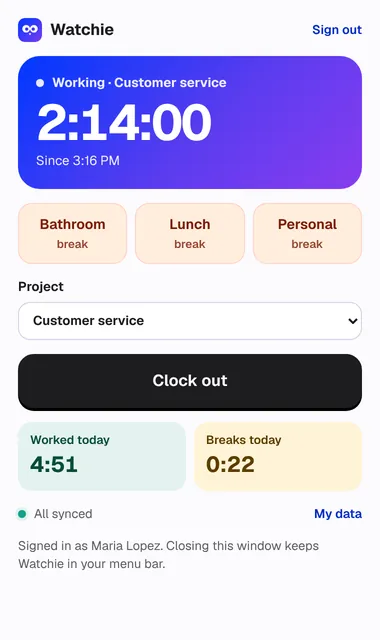
What’s included in time clock & breaks
Clock in and out from the desktop app
Pick a project, press Clock in. Watchie sits in the menu bar or system tray and keeps going if the window is closed.
Three break buttons
Bathroom, lunch and personal. Each is timed, and nothing is tracked while someone is on a break.
Daily break limit
Set a combined daily limit (for example 75 minutes). Going over is flagged for review — never silently deducted.
Idle that isn’t a break
After a few minutes with no input, Watchie pauses and asks the person to keep, remove or explain that time.
Schedules and lateness
Set shifts per person. Late starts and no-shows show up in Insights for employees.
Works offline
Time is saved on the computer first and syncs when the connection is back, so nothing is lost.
More Watchie features
Field crews
Phone clock-in that only works at the job site. Off-site punches flagged, drive time between jobs logged.
Activity tracking
Clicks, keystroke counts and real mouse movement in 10-minute blocks. Jigglers and auto-clickers stand out.
Screenshots
Every connected monitor, at random moments, 0–3 per 10 minutes. Optional blur. A notice each time.

See who’s really working.
Set up your team in minutes. Clock in on Mac, Windows, or a phone at the job site.
Already have an account? Log in